Short answer: Pipedrive is the better choice for a small, stable team that enjoys setting up its own tools and wants a polished self-serve pipeline. Tailr CRM is the better choice for outbound teams that want a CRM ready for outbound on day one, with hands-on 1:1 onboarding, positive cold-email replies arriving as assigned leads automatically, and one flat price as they hire.
Key takeaways
- Pipedrive runs from about $14 to $99 per user per month (annual); automation and email sequences start on Advanced (~$29), forecasting on Professional (~$59).
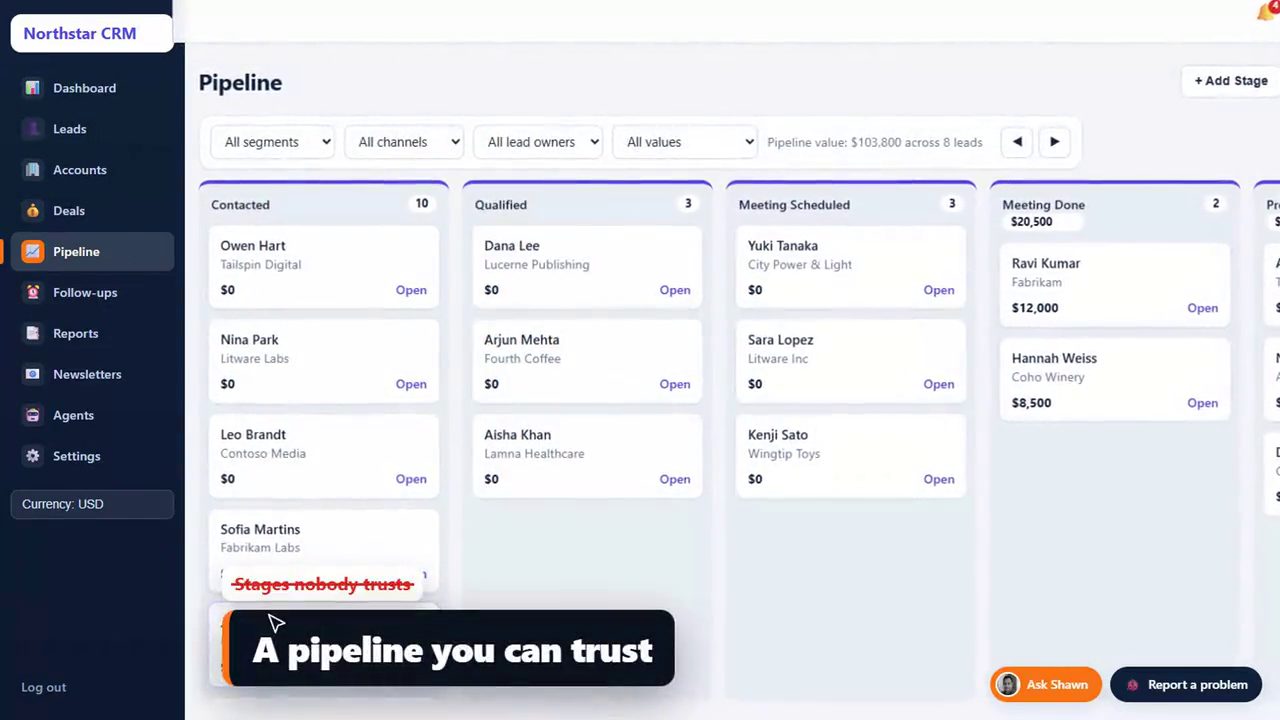
- Both tools centre on a drag-and-drop pipeline; the big difference is a blank self-serve setup versus an outbound CRM that is ready on day one, with free 1:1 onboarding.
- For 10 users, Pipedrive Professional is about $7,080 a year; Tailr CRM Team is about $790 in year one on the yearly plan, with no setup fee.
- Pipedrive has a larger marketplace and mobile app; Tailr CRM adds white-label branding and built-in reply-to-lead for cold email tools.
Contents
- A day in the life: the same SDR in each CRM
- Pipedrive's plans, and which one outbound teams end up on
- What Pipedrive does better
- What Tailr CRM does differently
- When to pick which
- Why reps actually use (or ignore) a CRM
- Three-year cost as the team grows
- Switching from Pipedrive in five steps
- Bottom line
- Sources
- FAQs
Pipedrive popularised the idea that a CRM should look like your sales process: columns for stages, cards for deals, drag to move. Reps like it, and it is one of the easiest CRMs to learn. Tailr CRM uses the same idea, so this is the closest like-for-like comparison in our CRM comparison series. The differences are in the setup, the inputs and the pricing.
A day in the life: the same SDR in each CRM
Meet Priya, an SDR at a 10-person outbound team. Her campaigns run in Instantly from a set of dedicated sending domains and inboxes. Here is her morning in each tool.
| Moment | In Pipedrive | In Tailr CRM |
|---|---|---|
| 8:30, overnight replies | Checks Instantly's inbox, copies interested replies into Pipedrive, or relies on a zap someone set up | Interested replies are already leads, assigned to her, with the reply text attached |
| 8:45, triage | Decides which replies are real, adds activities by hand | "Call me next week" has already become a task for next week |
| 9:00, daily plan | Opens the activities list | Reads her morning digest email: new leads, overdue follow-ups, today's meetings |
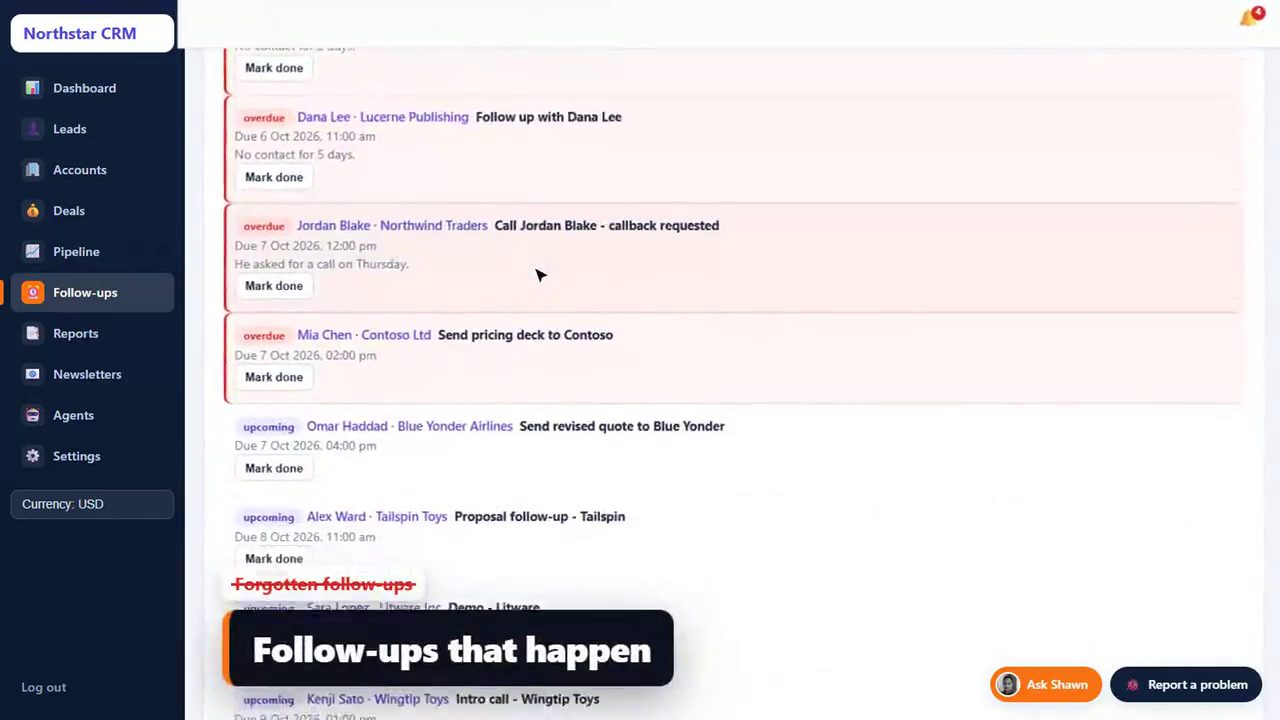
| Afternoon, a lead goes quiet | She has to notice | After 5 quiet days the CRM nudges her |
| Friday, manager review | Pipeline report by owner | Pipeline and meetings by campaign, so the team knows which campaigns to scale |
None of Pipedrive's steps are hard. They are just manual, and in outbound, manual steps are where warm replies go cold. Our guide to designing a follow-up sequence that books B2B appointments shows what a steady follow-up rhythm looks like.
Pipedrive's plans, and which one outbound teams end up on
| Plan | ~Price per user/month (annual) | Why outbound teams stop here or move up |
|---|---|---|
| Essential | $14 | Pipeline, contacts, basic reporting. Too thin once you need automation. |
| Advanced | $29 | Email sync, sequences, workflow automation. Where most outbound teams start. |
| Professional | $59 | Forecasting, AI assistant, team dashboards. Where growing teams end up. |
| Power / Enterprise | $69 / $99 | More control, permissions and limits for larger teams. |
For 10 users that is about $3,480 a year on Advanced or $7,080 on Professional, before any paid add-ons. Tailr CRM's Team plan covers up to 15 users for $79 a month, about $790 a year on the yearly plan (2 months free), with no setup fee. Every plan includes every feature; see the Tailr CRM plans.
Same pipeline feel, replies already inside
Start a 14-day Tailr CRM trial and drag a few sample leads through your stages. No card needed.
14 days free · no card · no setup fee
What Pipedrive does better
- Self-serve speed. You can sign up and be using it in an hour, no call needed.
- Marketplace. A large catalogue of integrations for almost any tool.
- Native mobile app. Strong for field sales and reps on the move.
- Maturity. Years of polish, documentation and a big user community.
What Tailr CRM does differently
- Ready in minutes, with help. Your CRM opens with your company name in about two minutes, and during the 14-day trial you get unlimited 1:1 onboarding calls with Shawn to fit stages, fields and lead rules.
- Replies in, leads out. Native connections to Smartlead, Instantly, lemlist and Apollo; any other tool via a webhook link.
- Automatic assignment and follow-ups. Fewest-open-leads routing, tasks from reply text, quiet-lead nudges, daily digests.
- Your brand. Your name and logo on every screen, the login page and emails.
- Flat pricing. Up to 15 users on one price, so hiring does not raise the bill.
When to pick which
Pick Pipedrive if your team is small and stable, someone enjoys configuring tools, most deals come from varied sources rather than cold email, or reps work mainly from their phones.
Pick Tailr CRM if most of your pipeline starts as replies to cold email or LinkedIn, you are hiring SDRs, you run an agency whose clients log in, or nobody on the team wants to be the CRM admin. Agencies should also read our CRM checklist for lead generation agencies.
Need more replies to fill the pipeline?
B2BXclusive runs outbound for B2B teams across the US, UK/EU, Middle East and India and delivers every positive reply into your CRM.
30-minute call · no obligation
Why reps actually use (or ignore) a CRM
Pipedrive's biggest strength is that reps like it. That matters, because the most expensive CRM is the one nobody updates. Tailr CRM tackles adoption from a different angle: instead of only making data entry pleasant, it removes most of it. If your reps spend most of the day on the phone rather than in replies, compare Tailr CRM vs Close as well.
| Adoption driver | Pipedrive | Tailr CRM |
|---|---|---|
| Data entry for new outbound leads | Manual or via integrations you set up | None: replies arrive as leads with the reply text |
| Knowing what to do today | Activities list and reminders | Morning digest email plus follow-up tasks created from replies |
| Learning the tool | Excellent help centre and academy | "Ask Shawn" help assistant inside the CRM and a 10-lesson course for every new login |
| Reporting problems | Support tickets | A "Report a problem" button on every page; fixes included |
Three-year cost as the team grows
Per-seat pricing compounds as you hire; our HubSpot comparison shows the same effect on a larger bill.
| Year | Users | Pipedrive Advanced (~$29) | Pipedrive Professional (~$59) | Tailr CRM Team |
|---|---|---|---|---|
| 1 | 5 | ~$1,740 | ~$3,540 | ~$790 |
| 2 | 10 | ~$3,480 | ~$7,080 | ~$790 |
| 3 | 15 | ~$5,220 | ~$10,620 | ~$790 |
| Total | ~$10,440 | ~$21,240 | ~$2,370 |
Per-user list prices on annual billing, before taxes and paid add-ons such as Pipedrive's LeadBooster.
Switching from Pipedrive in five steps
- Export deals, people, organisations and activities from Pipedrive's export tool (in Settings, under data export) as CSV or Excel.
- Share your pipeline on an onboarding call: stage names, required fields, and which deals are still open.
- Import and check. Import the CSV (Shawn helps on the call) and spot-check ten deals you know well.
- Connect your sending tools so new replies arrive in Tailr CRM from day one. If you are adding new sending domains at the same time, check them with the free SPF, DKIM and DMARC checker.
- Overlap for two weeks, then switch Pipedrive off at its next billing date.
Bottom line
Pipedrive and Tailr CRM share the same simple idea of a pipeline. Pipedrive gives you a polished do-it-yourself tool priced per seat; Tailr CRM gives you a finished outbound CRM, fed by your sending tools and priced flat. If you are an outbound team that hires, the second model is usually cheaper and gets used more. Need more replies to work? See how B2BXclusive runs outbound lead generation, or browse our quick answers on CRMs and outbound.
Pipedrive is a trademark of its respective owner; B2BXclusive is not affiliated with it. Prices checked on 2026-10-07.
Sources
- Pipedrive pricing: pipedrive.com/en/pricing (checked October 2026)
- Tailr CRM: b2bxclusive.com/tailr-crm
Pipedrive vs Tailr CRM
Get this guide as a printable PDF cheat sheet: the short answer and key takeaways, 4 comparison tables, 6 quick answers.
Frequently asked questions
Is Pipedrive good for cold email agencies?
Pipedrive is a good pipeline tool, and many agencies use it. The gap is getting positive replies from Smartlead, Instantly or lemlist into Pipedrive as owned deals; that usually relies on third-party integrations or Zapier that you configure and maintain.
Which Pipedrive plan do outbound teams need?
Most outbound teams want at least Advanced (about $29 per user per month annually) for email sync, sequences and workflow automation, and Professional (about $59) once they need forecasting and team performance reporting.
Does Tailr CRM have a mobile app like Pipedrive?
Tailr CRM runs in the browser on phones and tablets but does not have a dedicated native app like Pipedrive's. If reps work mainly from a phone in the field, Pipedrive's app is a real advantage.
How do I move from Pipedrive to Tailr CRM?
Export deals, people and organisations from Pipedrive as CSV. During your free trial, Shawn helps you import them, set up your stages and connect your tools on 1:1 onboarding calls; for complex moves there is an optional done-for-you migration (from $299).
Can I try Tailr CRM first?
Yes: a 14-day free trial, no card needed, with your company name and sample data.
Can I customise Tailr CRM's pipeline like Pipedrive's?
Yes. You use your own stage names and fields on a drag-and-drop board, and deals only move when your team moves them. Shawn sets up the stages, fields and lead rules with you on 1:1 onboarding calls during the 14-day free trial, so the board matches how you already sell.

About the author
Subhendu J Shawn is the founder of B2BXclusive, a B2B outbound sales and lead generation agency, and the creator of Tailr CRM. His experience spans American Express and Amazon, and he has helped 50+ B2B companies build pipeline across the US, Europe, the Middle East and India. All articles by Shawn · Follow on LinkedIn