
Short answer: Choose Copper if your team lives in Gmail and Google Workspace, sells through a manageable number of relationships, and wants a CRM that fills itself from the inbox. Choose Tailr CRM if your deals start as replies to cold email campaigns sent at volume from tools like Smartlead or Instantly, and you need those replies assigned and followed up automatically at a flat price.
Key takeaways
- Copper runs from about $9 to $134 per user per month; workflow automation starts on Professional (about $59 to $69 per user).
- Copper works only with Google Workspace: no native Outlook or Microsoft 365 support.
- Copper shines at relationship selling from the inbox; Tailr CRM shines at outbound volume coming from sending tools.
- For 10 users on Copper Professional (annual), year one is about $7,080; Tailr CRM Team is about $790 in year one on the yearly plan, with no setup fee.
Contents
- Relationship selling vs volume outbound
- The Google-only question
- Copper pricing in 2026
- Where Copper is the better choice
- Where Tailr CRM is the better choice
- Can you use both?
- When account managers and SDRs need different tools
- If your team uses Outlook or Microsoft 365
- Three-year cost, growing from 5 to 15 users
- Moving from Copper
- Bottom line
- Sources
- FAQs
Copper's promise is simple and appealing: a CRM that lives inside Gmail and fills itself in. Contacts, emails and meetings flow in from Google Workspace, and reps barely have to type. For the right team it is a great fit. Whether it is right for you depends on one thing: do your deals start in your own inbox, or in an outbound campaign?
Relationship selling vs volume outbound
| Relationship selling (Copper's strength) | Volume outbound (Tailr CRM's strength) | |
|---|---|---|
| Where conversations happen | Your reps' own Gmail inboxes | Many sending inboxes in Smartlead, Instantly, lemlist or Apollo |
| Number of active conversations | Tens to low hundreds per rep | Hundreds or thousands of contacts per month, dozens of replies a day |
| Typical buyers | Partners, agencies, consultancies, account management | New logos found through outbound |
| What the CRM must do best | Capture inbox activity with zero data entry | Catch replies from sending tools, assign them and make sure follow-ups happen |
The Google-only question
Copper is built exclusively for Google Workspace. If your company uses Outlook or Microsoft 365, Copper is not an option. If you are on Google Workspace, that tight integration is its biggest advantage.
To be equally clear about Tailr CRM: its built-in email and calendar sync is for Gmail and Google Calendar, with Zoom for meetings. Cold email replies arrive through your sending tool, whichever email provider your sending inboxes use. (How those sending domains and inboxes work is explained in domains, inboxes and warmup: how deliverability works.)
Copper pricing in 2026
| Plan | ~Per user/month | Notes |
|---|---|---|
| Starter | $9 (annual) / $12 (monthly) | Basic contact management |
| Basic | ~$23 to $29 | Pipelines, Google Sheets reports, email tracking |
| Professional | ~$59 to $69 | Workflow automation, bulk email, advanced reporting |
| Business | ~$134 (annual) | Most advanced features and controls |
A 10-person team on Professional with annual billing pays about $7,080 a year. Tailr CRM's Team plan, for up to 15 users, is about $790 a year on the yearly plan (2 months free), with no setup fee. See every plan on the Tailr CRM page.
Built for replies you did not send by hand
Open a 14-day Tailr CRM trial and connect a campaign: positive replies from your sending tool become leads with owners and follow-ups. No card needed.
14 days free · no card · no setup fee
Where Copper is the better choice
- Your whole company runs on Google Workspace.
- Deals come from relationships, referrals and partners rather than cold outreach.
- Reps hate data entry and their inbox is the source of truth.
Where Tailr CRM is the better choice
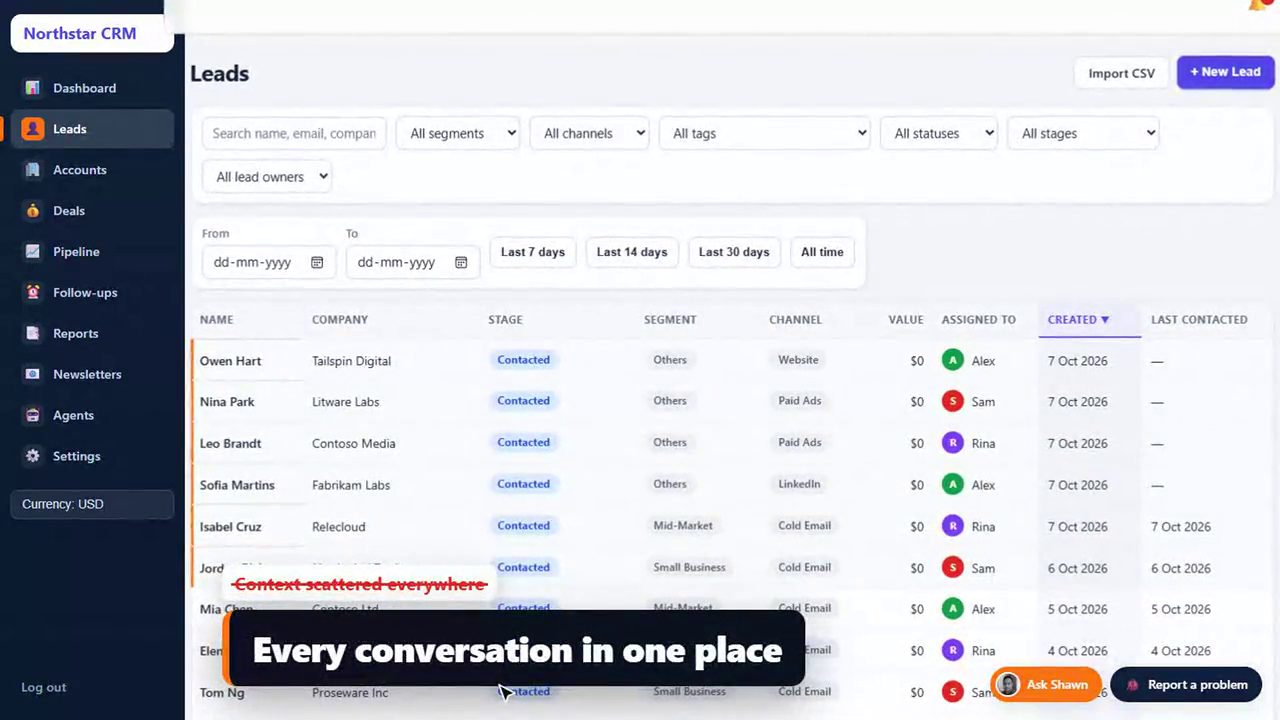
- Your pipeline comes from campaigns run in Smartlead, Instantly, lemlist or Apollo.
- You need automatic assignment and follow-ups across a team of SDRs.
- You want reports by campaign, white-label branding and one flat price as the team grows. For agencies, our CRM checklist for lead generation agencies goes deeper.
Can you use both?
Some companies keep account managers on a relationship-style CRM and run new-business outbound in a separate outbound CRM, handing over won accounts. It adds a handoff, but it lets each team use a tool built for how it works. If you are a single team doing mostly outbound, one CRM built for outbound is simpler. Keeping those teams in step is covered in aligning sales, marketing and customer success.
When account managers and SDRs need different tools
A pattern we see often: account managers nurture existing clients through their own inboxes, while SDRs open new accounts through outbound campaigns. The two jobs need different things from a CRM.
A clean handoff between an outbound CRM and account management.
If your company is mostly the right-hand side of that flow (relationships, renewals, referrals), Copper is a natural fit. If it is mostly the left-hand side (finding and converting new accounts through outbound), you need the reply-to-lead engine first.
If your team uses Outlook or Microsoft 365
Copper is not an option for Microsoft email teams. For fairness, here is how Tailr CRM fits: positive replies arrive through your cold email tool, whichever email provider your sending inboxes use, so the reply-to-lead engine works either way. Tailr CRM's built-in sync for reps' personal email and calendar is for Gmail and Google Calendar today, so Microsoft-based teams should check that this fits how they work before deciding. If HubSpot is also on your list, see Tailr CRM vs HubSpot for outbound teams.
Three-year cost, growing from 5 to 15 users
| Year | Users | Copper Basic (~$23) | Copper Professional (~$59) | Tailr CRM Team |
|---|---|---|---|---|
| 1 | 5 | ~$1,380 | ~$3,540 | ~$790 |
| 2 | 10 | ~$2,760 | ~$7,080 | ~$790 |
| 3 | 15 | ~$4,140 | ~$10,620 | ~$790 |
| Total | ~$8,280 | ~$21,240 | ~$2,370 |
Annual list prices before taxes. Workflow automation starts on Copper Professional. Our Pipedrive comparison runs the same three-year numbers for another per-seat pipeline CRM.
Moving from Copper
- Export people, companies and opportunities from Copper's settings as CSV.
- Share your pipeline stages and the fields you rely on.
- Import everything and connect your sending tools and Gmail during your free trial, with Shawn on 1:1 onboarding calls. Common setup questions are answered in our quick answers.
Bottom line
Copper is excellent for Google Workspace teams who sell through relationships from their own inbox. Tailr CRM is built for teams who sell through outbound volume, where replies arrive from sending tools and speed of follow-up decides who wins the meeting. More comparisons are in our CRM comparison guides. If you want outbound replies flowing in, see how B2BXclusive runs lead generation, and check your sending domains with the free SPF, DKIM and DMARC checker.
Want outbound replies flowing in?
B2BXclusive runs cold email, LinkedIn and calling for B2B teams in the US, UK/EU, Middle East and India.
30-minute call · no obligation
Copper is a trademark of its respective owner; B2BXclusive is not affiliated with it. Prices checked on 2026-10-07.
Sources
- Copper pricing: copper.com/pricing (checked October 2026)
- Copper and Google Workspace: UseReviews, Copper CRM review 2026
- Tailr CRM: b2bxclusive.com/tailr-crm
Copper vs Tailr CRM
Get this guide as a printable PDF cheat sheet: the short answer and key takeaways, 3 comparison tables, 6 quick answers.
Frequently asked questions
Does Copper work with Outlook?
No. Copper is built for Google Workspace and does not support Outlook or Microsoft 365 natively. Teams on Microsoft email usually choose a different CRM.
Does Tailr CRM work with Gmail?
Yes. Tailr CRM connects Gmail, Google Calendar and Zoom, so emails and meetings appear on each lead's timeline, and reps can send email and book calls from the lead.
Is Copper good for cold email?
Copper is designed around the emails your team sends and receives personally in Gmail. High-volume cold email usually runs from dedicated sending tools across many inboxes, and those replies need to be brought into the CRM, which is what Tailr CRM automates.
How do I move from Copper to Tailr CRM?
Export people, companies and opportunities as CSV. During your free trial, Shawn helps you import them, set up your stages and connect your tools on 1:1 onboarding calls; for complex moves there is an optional done-for-you migration (from $299).
Can I try Tailr CRM first?
Yes, a 14-day free trial with no card needed.
Do I need Google Workspace to use Tailr CRM?
No. Positive replies arrive through your cold email tool, whichever email provider your sending inboxes use, so the reply-to-lead engine works either way. Tailr CRM's built-in sync for reps' own email and calendar is for Gmail and Google Calendar today, so Microsoft-based teams should check that this fits how they work.

About the author
Subhendu J Shawn is the founder of B2BXclusive, a B2B outbound sales and lead generation agency, and the creator of Tailr CRM. His experience spans American Express and Amazon, and he has helped 50+ B2B companies build pipeline across the US, Europe, the Middle East and India. All articles by Shawn · Follow on LinkedIn